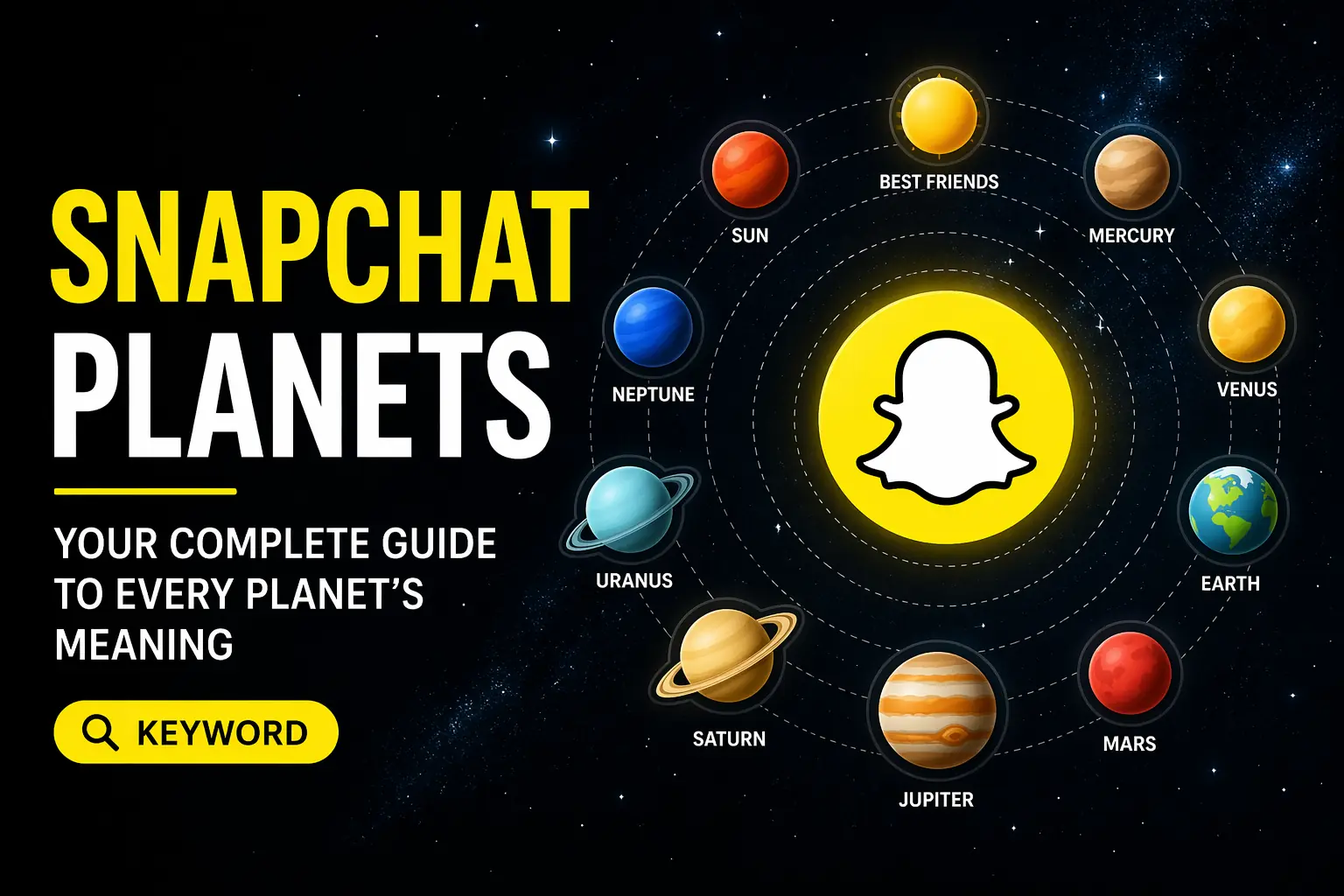

You open a friend’s profile on Snapchat, tap their Best Friends badge, and see a glowing planet. Is it Mercury? Neptune? And what does that even tell you about your friendship? If this confused you the first time, you’re not alone. Snapchat Planets is one of those features that looks simple but actually runs on a smart, constantly-updating ranking system beneath the surface.
- What Are Snapchat Planets?
- How Snapchat Planets Work
- Snapchat Planet Order and Meaning
- Mercury – #1 Best Friend
- Venus – #2 Best Friend
- Earth – #3 Best Friend
- Mars – #4 Best Friend
- Jupiter – #5 Best Friend
- Saturn – #6 Best Friend
- Uranus – #7 Best Friend
- Neptune – #8 Best Friend
- Planet Colors and Emojis Explained
- Features of Snapchat Planets
- Who Can See Snapchat Planets?
- How to Access and View Snapchat Planets
- How to View Your Own Solar System
- How to See Your Planet in Someone Else’s Solar System
- What to Do If Snapchat Planets Don’t Appear
- Snapchat Planets vs Best Friends Emojis
- Can Snapchat Planets Change Over Time?
- Privacy Rules for Snapchat Planets
- Why Snapchat Made Planets Optional
- Benefits of Snapchat Planets
- Conclusion
- FAQs
- What does Mercury mean on Snapchat Planets?
- Do both people see the same planet?
- Can Snapchat Planets change without the Best Friends list changing?
- Why don’t I see planets for all my friends?
- Are Snapchat Planets permanent?
- Can I remove or change a planet manually?
- Why does Snapchat use planets instead of numbers?
- Do Snapchat Planets affect my Best Friends ranking?
This guide breaks down exactly how it works, what each planet means, and what you can (and can’t) control.
What Are Snapchat Planets?
Snapchat Planets is a visual feature inside Snapchat+ that turns your eight closest friends into planets in a personal solar system. You sit at the center as the Sun, and each of your top friends orbits around you at a different distance — the closer the planet, the more you interact with that person.
It’s not a separate app or add-on. It sits directly inside the Best Friends list, displaying existing interaction data in a way that’s easy to understand at a glance. Free version users won’t see it at all — this feature is exclusive to Snapchat+ subscribers.
The system mirrors the real solar system order: Mercury, Venus, Earth, Mars, Jupiter, Saturn, Uranus, Neptune. Each planet maps to a friendship rank, from #1 to #8.
How Snapchat Planets Work
The ranking behind Snapchat Planets runs automatically. Snapchat tracks how actively and regularly you communicate with each friend and assigns planet positions based on that data. The more consistent and mutual your interaction, the closer the planet.
What makes this interesting is that the system updates daily. In practice, a friend can shift from Mars to Venus in just a few days if you suddenly start chatting more frequently.
What Affects Your Planet Ranking
Not all Snapchat activity counts toward your planet position. The system focuses specifically on direct communication:
- Snap frequency — how often you send snaps to each other
- Chat activity — private messages and back-and-forth conversations
- Interaction recency — recent activity carries more weight than older exchanges
- Mutual engagement — both sides need to participate; one-sided snapping doesn’t build strong ranking
- Story replies and streak lengths also factor in over time
What Does Not Affect Your Planet Ranking
A common misconception is that watching someone’s Story or visiting their profile counts. It doesn’t. Snapchat ignores passive actions entirely:
| Activity | Counts Toward Ranking? |
| Sending snaps | ✅ Yes |
| Private chats | ✅ Yes |
| Story replies | ✅ Yes |
| Keeping streaks | ✅ Yes |
| Viewing Stories | ❌ No |
| Profile visits | ❌ No |
| Snap Map activity | ❌ No |
| Taking screenshots | ❌ No |
Only actions that start or continue a real conversation matter. Browsing and location sharing are treated as passive behavior and don’t move the needle.
Snapchat Planet Order and Meaning
Each of the eight planets corresponds to a specific rank in your Best Friends list. The order follows the real solar system, starting from the closest planet to the Sun and moving outward.
Mercury – #1 Best Friend
Mercury sits closest to you in the solar system, and that position means exactly what you’d expect: this person is your most-engaged Snapchat contact. You likely talk daily, keep active streaks, and send snaps back and forth regularly. Visually, Mercury appears with five red hearts around it.
Venus – #2 Best Friend
Venus represents your second closest connection. Interaction here is strong and consistent — maybe several times a week rather than every single day. The planet shows in a brownish tone with a mix of pink, yellow, and blue hearts reflecting a warm, multi-layered connection.
Earth – #3 Best Friend
Earth means you’re reliably in each other’s top three. This friend responds regularly and stays connected. The visual shows Earth’s familiar blue-green globe with a moon, red hearts, and small stars nearby.
Mars – #4 Best Friend
Mars signals an active but slightly less frequent connection. You share laughs, random snaps, and back-and-forth chats — just not quite enough to crack the top three. Visually, it appears red-orange with blue/purple hearts and stars.
Jupiter – #5 Best Friend
Jupiter is where occasional interaction lands. This might be someone you connect with in group stories, share streaks with, or chat with a few times a week but not daily. It shows as a large, striped planet with brown-orange tones and stars.
Saturn – #6 Best Friend
Saturn represents a more casual friendship on Snapchat. You interact, but not with high frequency. The distinctive rings make this planet easy to identify — orange with rings and a red spot, and noticeably fewer hearts than the inner planets.
Uranus – #7 Best Friend
At this distance, interaction is light. Maybe you added each other recently, or you occasionally check in. Uranus appears in greenish-blue with layered swirls and no hearts — reflecting a more distant connection.
Neptune – #8 Best Friend
Neptune sits farthest from the Sun, meaning this person ranks eighth in your interaction history. They’re still part of your core eight, but engagement is minimal. The planet displays in deep blue with minimal stars and no hearts.
Planet Colors and Emojis Explained
Each planet uses a distinct color palette and emoji set that makes identification quick — you don’t need to read any text to understand your ranking. Mercury uses red hearts for intensity; Earth includes a moon and stars for familiarity; Saturn’s rings are immediately recognizable; Neptune’s dark blue signals distance.
This color coding isn’t just aesthetic. It reinforces the emotional weight of each position — inner planets feel warm and active, outer planets feel calm and minimal. In most cases, users can identify their planet within seconds just from the visual cues alone.
Features of Snapchat Planets
Beyond the ranking itself, the feature includes several elements worth knowing:
- Bitmoji integration — your friend’s Bitmoji appears on their planet, with expressions that vary based on closeness
- Dynamic updates — planet positions shift automatically as your interaction patterns change
- Visual solar system design — colorful, recognizable, and easy to scan
- Private by default — only you see your solar system; friends don’t receive notifications
- One-sided visibility — you might see a friend as Venus while they see you as Mars; the two views don’t have to match
- Exclusive to Snapchat+ — free users see none of this
Who Can See Snapchat Planets?
Only Snapchat+ subscribers can see planet icons. Even if two people are each other’s Best Friends, only the subscriber gets the visual display. The other person won’t see any planet data unless they also have Snapchat+.
Originally, Snapchat launched this feature as enabled by default. After parents, lawmakers, and mental health experts raised concerns — particularly around younger users feeling ranked or socially compared — Snapchat reversed that decision and made it opt-in only.
This is one of the few social features where Snapchat explicitly acknowledged the emotional impact on teens and adjusted accordingly.
How to Access and View Snapchat Planets
How to View Your Own Solar System
- Make sure your Snapchat+ subscription is active
- Open Snapchat and go to your profile
- Tap the Snapchat+ menu
- Select Solar System to see your eight planets with friends assigned to each
You can tap any planet to see which friend occupies that position, along with their Bitmoji and visual details.
How to See Your Planet in Someone Else’s Solar System
- Open your chat list and tap a friend’s name to open their profile
- Look for the gold badge labeled “Best Friends” or “Friends.”
- Tap that badge to reveal which planet you are in their solar system
If the badge says “Best Friends,” you’re in each other’s top eight. If it says “Friends,” you’re in their top eight but they may not be in yours.
What to Do If Snapchat Planets Don’t Appear
This typically happens when one of a few things is off:
- Subscription expired — check your Snapchat+ status in account settings
- Feature not enabled — toggle the Solar System option on inside Snapchat+ settings
- Low interaction — friends with minimal engagement won’t qualify for a planet
- App not updated — older versions may not display the feature correctly
- Temporary glitch — logging out and back in, or clearing the cache, usually resolves display issues
Snapchat Planets vs Best Friends Emojis
These two features look related but serve different purposes:
| Feature | Snapchat Planets | Best Friends Emojis |
| What it shows | Relative ranking in the Best Friends list | Mutual friendship status |
| Visibility | Snapchat+ only | Both users |
| Subscription needed | Yes | No |
| Shows ranking detail | Yes | No |
| Shared between users | No (personal) | Yes (mutual) |
The key difference is that emojis confirm a mutual status, while planets show your personal ranking without exposing it to the other person.
Can Snapchat Planets Change Over Time?
Yes — and they can change quickly. Snapchat runs micro-ranking updates daily, so even small shifts in your snapping or chatting habits can move a friend’s planet without removing them from your Best Friends list entirely.
This explains why someone might suddenly appear as Neptune when they were on Earth last week. It doesn’t necessarily mean anything dramatic changed — a few days of lower activity can cause a quiet shift in the background. Planet positions are never permanent, and no fixed reset date exists.
Privacy Rules for Snapchat Planets
Snapchat built this system with a clear privacy-first approach:
- Your Best Friends list and planet order are completely private — no one else can view them
- Friends don’t receive alerts when you check their solar system
- Planet positions never appear in public spaces, Stories, or shared content
- Rankings are personal — what you see doesn’t match what your friend sees
- Snapchat uses planets instead of numbered labels (#1, #2) specifically to reduce competitive pressure
Why Snapchat Made Planets Optional
When the feature launched, teen users reported feeling insecure about seeing their own low rankings. The idea of being someone’s Neptune — or realizing a close friend didn’t have you in their top eight — created real social pressure.
Parents and mental health experts raised these concerns with Snapchat directly. In response, the company disabled the feature by default and made it opt-in only for Snapchat+ users. It’s a practical acknowledgment that social gamification, even when fun, carries emotional responsibility — especially for younger audiences.
Benefits of Snapchat Planets
- Instantly shows your friendship closeness without numbers or lists
- Motivates more regular snapping and chatting with people you care about
- Makes Snapchat+ feel more personal and visually engaging
- Strengthens bonds by reflecting real interaction in a fun, low-pressure format
- Stays private — you enjoy the insight without broadcasting it to anyone
Conclusion
Snapchat Planets is a visual tool that reflects your real interaction habits with friends. The Best Friends list does the actual ranking work in the background — planets simply make that data easy to read. Your position changes naturally as your snapping and chatting habits shift, and no manual control exists over where anyone lands.
Rather than treating planet positions as a measure of real friendship quality, the system works best when used as a lightweight, private snapshot of who you’ve been most connected with recently. Understand the mechanics, and it stops feeling mysterious.
FAQs
What does Mercury mean on Snapchat Planets?
Mercury means you are that person’s #1 closest friend on Snapchat. You have the highest level of daily interaction with them — more snaps, more chats, more consistent engagement than anyone else in their top eight.
Do both people see the same planet?
No. Snapchat Planets are personal and one-sided. You might appear as Venus in someone’s solar system while they appear as Mars in yours. Each person’s view is based on their own interaction data, not a shared result.
Can Snapchat Planets change without the Best Friends list changing?
Yes. Snapchat runs daily micro-ranking updates, so a friend’s planet position can shift even when your Best Friends list looks the same. Small changes in activity — like chatting less for a few days — can quietly move a planet in the background.
Why don’t I see planets for all my friends?
Planets only appear for friends who qualify as top Best Friends. Casual or low-interaction connections don’t meet Snapchat’s criteria for planet assignment. Only your Top 8 most active connections receive a planet.
Are Snapchat Planets permanent?
No. Planet positions change automatically based on your habits. If snapping and chatting frequency drops, a planet can shift or disappear. There is no fixed reset date — changes happen continuously based on real activity.
Can I remove or change a planet manually?
No. The system is fully algorithmic. Snapchat controls all planet assignments based on objective interaction data. You cannot reassign, remove, or lock any planet position manually.
Why does Snapchat use planets instead of numbers?
Numbered rankings like #1 or #2 felt competitive and created social pressure — especially for younger users. Planets deliver the same information in a friendlier, more visual format that feels less like a scoreboard and more like a personal map of your connections.
Do Snapchat Planets affect my Best Friends ranking?
No. The relationship works in one direction only. Your interaction data creates the Best Friends ranking, and the ranking then determines which planet appears. Planets display the ranking — they don’t influence it.