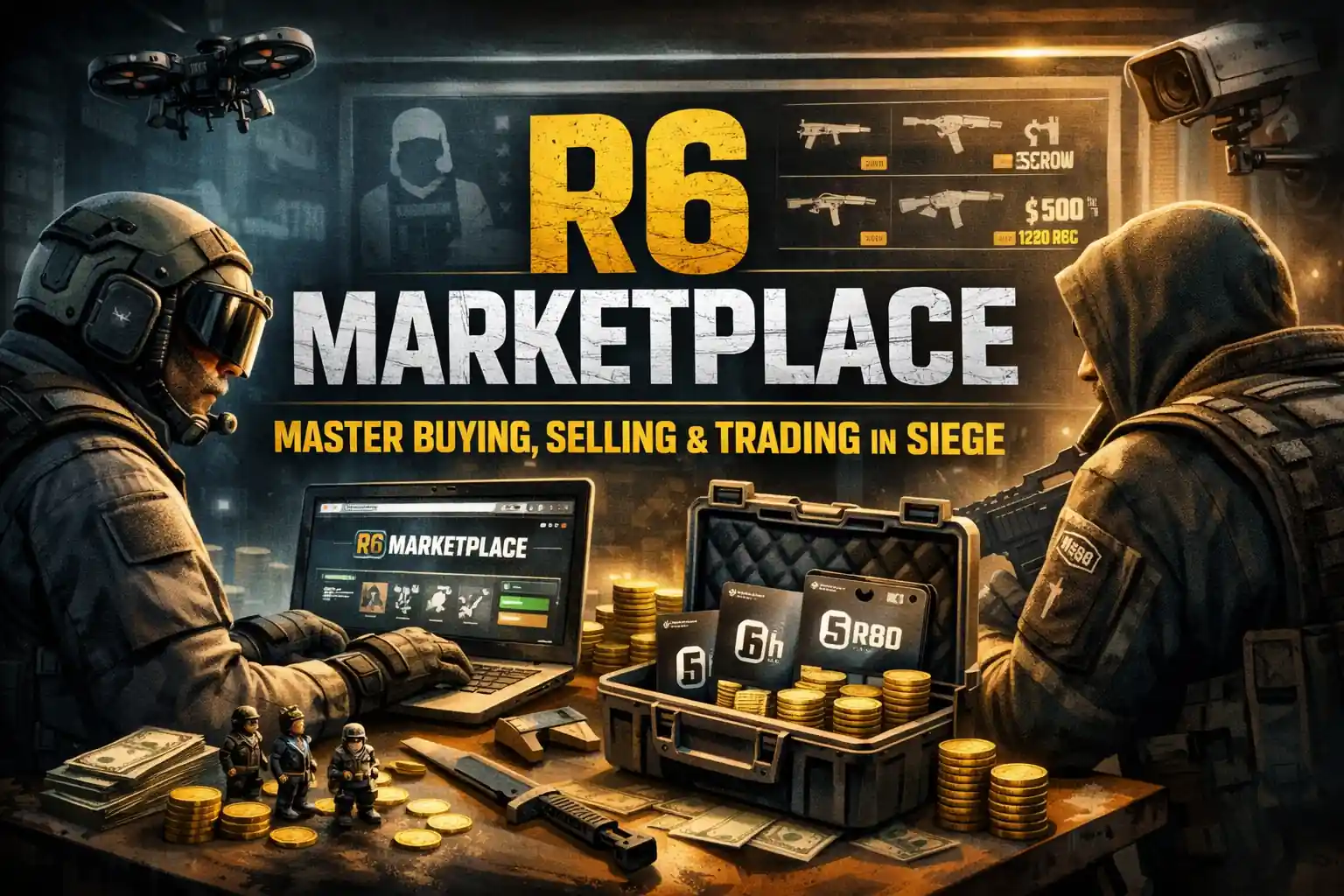

The R6 Marketplace changed how Rainbow Six Siege players interact with cosmetics. Games like CS2 and Dota built thriving cosmetic economies years before Siege entered that space. The R6 Marketplace is Ubisoft’s answer — a regulated, web-based system that finally gives the Siege ecosystem its own official trading layer.
- What Is the R6 Marketplace?
- Why the R6 Marketplace Exists
- R6 Marketplace Requirements and Eligibility
- How to Sign Up and Access the R6 Marketplace
- How the R6 Marketplace Works
- How to Buy on the R6 Marketplace
- How to Sell on the R6 Marketplace
- Understanding Item Rarity, Value, and Pricing
- R6 Marketplace Trading Tips and Strategies
- Common Beginner Mistakes to Avoid
- Is the R6 Marketplace Safe?
- Positives and Flaws of the R6 Marketplace
- Conclusion
- FAQs
- FAQ 1: What is the R6 Marketplace?
- FAQ 2: How do I get accepted into the R6 Marketplace?
- FAQ 3: How do buy orders and sell orders work?
- FAQ 4: What is the 15-day cooldown, and why does it exist?
- FAQ 5: Why can’t I see some items in my sell inventory?
- FAQ 6: Can I use the R6 Marketplace on console?
- FAQ 7: Can I make real money from the R6 Marketplace?
- FAQ 8: What happens if my buy or sell order expires, or I want to cancel it?
Before it launched, if you missed a seasonal skin or pulled a duplicate from a pack, you were stuck with it. Now, Ubisoft’s official trading platform lets players buy, sell, and exchange cosmetic items using R6 Credits — no third-party sites, no scam risk, no guessing.
This guide covers everything: how the system works, how to get started, how to trade smarter, and what mistakes to avoid.
What Is the R6 Marketplace?
At its core, the R6 Marketplace is Ubisoft’s official, web-based hub where Siege players trade cosmetic items using R6 Credits. No real money changes hands between players. Everything runs through Ubisoft’s own infrastructure, which creates a closed-loop economy built for stability.
The platform launched in full with the Siege X update in mid-2025, after an earlier closed beta. It supports a wide range of tradable cosmetics:
- Weapon skins
- Headgear and uniforms
- Attachment skins
- Charms
- Operator portraits
- Card backgrounds
- Drone skins
Unlike games such as Counter-Strike 2 or Team Fortress 2 — where players can convert skins into real money — the Rainbow Six marketplace keeps everything in-game. You earn credits by selling, and you spend credits to buy. It’s non-monetizable by design, which keeps the economy balanced and prevents the kind of inflation those other games sometimes experience.
One important distinction: items don’t permanently bind to your account the way traditional store purchases do. If you buy a skin here, you can sell it later. That shift in ownership model is what makes the marketplace genuinely useful.
Why the R6 Marketplace Exists
Before this platform existed, Siege players had no legitimate way to offload unwanted cosmetics. Loot packs relied on RNG — every opening was a gamble with no guaranteed outcome. That gambling element frustrated players who wanted specific skins but had no reliable path to them. The marketplace removes that randomness entirely. You choose what you want, pay a known price, and get exactly that item.
Informal peer-to-peer trades existed but carried obvious scam risk with zero protection. The marketplace formalizes what the community was already trying to do. It gives players:
- Digital ownership — control over items they’ve earned or purchased
- Access to legacy cosmetics — skins no longer available in the standard store
- Transparent pricing — real supply and demand, not Ubisoft-set prices
That last point catches new players off guard. Ubisoft doesn’t set the prices here. Players do. If a skin has high demand and limited supply, the price rises. If dozens of people list the same common drop, the price falls. It’s a genuine player-driven economy, which also means the marketplace rewards informed decisions — not just spending.
Compared to loot packs, the contrast is stark. Packs give you randomness and hope. The marketplace gives you choice and clarity.
R6 Marketplace Requirements and Eligibility
Account Requirements
Not every Siege player gets immediate access. To trade, your account must reach Clearance Level 25. If you’re below that threshold, the sign-up page will display a message stating you don’t currently meet the trading requirements. You’ll need to earn XP through regular gameplay until you qualify.
There’s also a minimum age requirement of 13. Ubisoft’s exact verification process for this isn’t publicly detailed, but it’s a baseline condition tied to your account registration.
The invitation-only system that existed during the beta is gone. Since June 15, 2025, the marketplace has been open to all eligible players.
Security Requirements
Two-factor authentication (2FA) is mandatory — not optional. You also need a recovery email linked to your account. These aren’t arbitrary hurdles; they exist because the platform has real economic value attached to it.
By requiring 2FA and enforcing account standing checks, Ubisoft filters out compromised accounts before they can distort pricing or drain inventories. Inventory protection is a direct benefit — your tradable items stay under your control rather than being exposed to bots running automated price manipulation scripts that have destabilized economies in similar games.
Strong passwords and keeping your login credentials private are equally important habits to maintain.
How to Sign Up and Access the R6 Marketplace
The process is straightforward:
- Go to the official Rainbow Six Siege Marketplace on Ubisoft’s website
- Click the Log In button — if it’s not visible, click the profile icon in the top corner
- Sign in with your R6 account credentials
- Complete 2FA verification when prompted
- Accept the terms of service
- Your inventory will sync automatically
Once inside, you’ll see tabs for Buy, Sell, and My Transactions. The interface is consistent whether you access it through a browser, through Ubisoft Connect, or via an in-game redirect button. Console players — PlayStation and Xbox — can use the same web-based access point. There’s no separate console version; it all runs through the browser, giving it true cross-platform compatibility.
How the R6 Marketplace Works
The Bid-Ask Order System
The marketplace doesn’t work like a typical store where you click and instantly buy. It operates on a bid-ask model — the same basic structure used in financial markets.
When you want to buy something, you place a buy order and set the maximum amount of R6 Credits you’re willing to pay. When you want to sell, you place a sell order and set your minimum acceptable price. When a buyer’s maximum meets or exceeds a seller’s minimum, the transaction executes automatically.
Key limits to know:
| Rule | Limit |
| Active buy orders | 5 at a time |
| Active sell orders | 5 at a time |
| Transactions per 24 hours | 20 buys / 20 sales |
| Order duration | 30 days |
These caps exist to prevent high-frequency flipping and keep the market accessible for genuine collectors rather than volume traders. Price transparency is built into every item page — current buy and sell order ranges are always visible before you commit.
Transaction Fees and the 15-Day Cooldown
Every completed sale carries a 10% fee, deducted from the seller’s payout. If you list a skin for 1,000 credits, you receive 900. This fee serves as an artificial inflation prevention mechanism — it raises the cost of repeated flipping to a point where it stops being worthwhile for most traders. The result is a market oriented toward long-term trading and genuine collection building rather than short-cycle credit extraction.
The 15-day cooldown is the other major mechanism. Any item you purchase cannot be relisted for 15 days. This directly prevents someone from buying a skin cheaply during a supply surge and immediately flipping it for profit before prices stabilize. It forces traders to commit to a position, which in turn helps smooth out price volatility.
Tradable vs Non-Tradable Items
Ubisoft designates certain items as non-tradable for three distinct reasons: game-balance considerations (keeping certain operator-exclusive rewards meaningful), licensing restrictions (crossover skins tied to external IP agreements), and seasonal timing (current-season items become tradable when the next season launches). If a cosmetic never appears in your sell inventory, one of these three reasons applies — it is Ubisoft’s deliberate decision, not a platform bug.
How to Buy on the R6 Marketplace
Start by clicking the Buy tab and selecting an item category or searching by name. Use the price filter (low to high) to identify the most competitive listings. Before placing any bid, check the 30-day price history for that item. This graph shows you whether the current price is inflated, depressed, or sitting near its historical average.
Place your bid close to the asking price if you want the item quickly — when your maximum meets an active sell order, the transaction becomes an instant purchase with no waiting required. Before committing to any bid, run a quick price comparison across similar listings. Even a one-minute comparison often reveals a lower price on an identical item listed by a different seller.
If no matching seller exists at your price, your order waits in the queue for up to 30 days. For rare cosmetics like Black Ice skins, popular demand keeps these queues active — patience usually pays off more than overbidding. Many players also rely on external analytics platforms to track price history visualizations and evaluate whether a skin is at a fair entry point before placing a bid.
How to Sell on the R6 Marketplace
Click Sell, browse your tradable inventory, filter by rarity if needed, and select the item you want to list. Set your asking price and confirm — your listing goes live immediately.
Demand-based selling is the core principle here — items with active buyer queues move faster and give you more pricing leverage than skins sitting in low-demand categories. Fast-selling items typically share a few traits: they belong to popular operators, carry a strong visual identity, or are tied to events players remember. Knowing which of your skins fall into this category before listing saves time and protects your margins.
Your item leaves your inventory the moment you create the listing. If you want it back before it sells, you can cancel the order, but that resets any queue position you had. Adjusting the price after listing also resets the listing’s age, which can affect how it competes with similar offers.
A few practical notes for sellers:
- Don’t underprice out of impatience — check recent completed sales first
- Focus on skins with active demand — seasonal items from several years ago rarely attract buyers
- Remember the 10% fee — factor it into your asking price before listing
Understanding Item Rarity, Value, and Pricing
What Determines Skin Value
Price in the R6 Marketplace isn’t random. Several consistent factors drive a skin’s value:
- Rarity — limited print-run or exclusive items command higher prices
- Event exclusivity — cosmetics tied to past events or discontinued bundles hold premium value
- Cultural association — Black Ice skins carry a reputation that goes beyond rarity alone; they’re status symbols in the Siege community.
- Streamer and esports visibility — a skin worn by a popular creator or an esports team during a major broadcast can spike in demand overnight
- Nostalgia — older items that players associate with earlier Siege eras often appreciate over time
Common drops and widely distributed seasonal cosmetics, by contrast, tend to settle at modest prices because supply consistently meets or exceeds demand. Dynamic value is the rule here, not the exception — scarcity and price fluctuation are permanent features of this market, not temporary bugs.
Supply, Demand, and Market Behavior
When a season ends, and its cosmetics enter the tradable window for the first time, supply floods in. Prices often dip temporarily as many sellers list simultaneously. Experienced traders either wait out this initial supply burst before buying or hold newly tradable items until scarcity reasserts itself.
Ubisoft announcements, new operator releases, and special events all create price movement. These shifts follow basic market principles — when external demand rises suddenly, prices respond faster than supply can adjust. That speed differential is price elasticity in practice: high-elasticity skins can double in value within days of a major announcement, while low-elasticity items barely move regardless of what happens in the broader game.
Event-exclusive cosmetics typically spike during the event window and stabilize — or dip — once the hype fades. Watching the game’s update calendar is just as useful as watching the price charts.
R6 Marketplace Trading Tips and Strategies
Smart Buying Strategies
Emotional trading is the fastest way to lose credits. The impulse to overpay because you want something now is real, but the 30-day order window exists precisely so you don’t have to rush.
Study the price history, calculate the price averages across the last 30 days, place a rational bid slightly above that baseline, and let the system work. Credit conservation matters here, too — overspending on one item leaves you without liquidity when a better opportunity appears. The most consistent approach is observation before action: spend your first sessions watching how prices move before committing credits to anything. That patience builds the pattern recognition needed for value retention — holding or acquiring items at prices that protect your credit base over time.
Avoid buying during event-driven price spikes. If a skin surges 40% in a week because a streamer featured it, waiting even a few days usually brings the price back toward its baseline.
Smart Selling Strategies
Skins tied to operators with high pick rates tend to sell faster and hold value better, making them stronger cosmetic investments than skins for niche or low-played operators. When you do sell successfully, treat the credits as a reinvestment pool rather than spending them immediately — credit reinvestment into the next well-timed purchase compounds your collection quality over time.
Also, watch the drop rate data on newly tradable items. When a season’s cosmetics first become tradable, items with low original drop rates represent a rare item opportunity — they enter the market in limited quantity and often price above where they’ll settle long-term, rewarding sellers who list early.
Seasonal timing matters too. Listing during an event window — when player activity is high, and credit spending is elevated — often yields better results than listing during a slow week between updates. Post-event dips hit sellers who wait too long, so timing your exit before the hype cycle peaks is a learnable skill.
Using Market Analytics
Several external analytics platforms track R6 Marketplace price histories, volume data, and trend curves. Beyond raw price tracking, good tools surface the price-to-look ratio — essentially how much demand exists relative to supply at any given price point — which makes bargain identification faster and more systematic than manual browsing. Stats.CC is one of the more widely used options in the Siege community.
Tracking your own trades in a simple spreadsheet — purchase price, sell price, net after the 10% fee — builds pattern recognition over time. Data-driven trading consistently outperforms gut-feel decisions in any closed economy.
Common Beginner Mistakes to Avoid
Most early losses in the marketplace trace back to a handful of predictable errors:
- Selling rare items without checking value — a quick price history check takes 30 seconds and can save hundreds of credits
- Buying at peak prices — FOMO-driven purchases almost always result in overpaying
- Assuming prices are permanent, the market shifts constantly; what’s expensive today may be cheap next month
- Exhausting credits early — spending everything on one item leaves no room to capitalize on future opportunities
- Ignoring the 10% fee, sellers who forget the deduction consistently underprice and lose margin without realizing why
- Overpricing your listings — setting an asking price too far above market average leads to stalled inventory, where your item sits unsold for weeks while similar listings undercut you
The best habit to build early is simple: observe before you act. Spend your first few sessions browsing price histories without placing any orders. The patterns become readable quickly.
Is the R6 Marketplace Safe?
Yes — because it’s official. Every transaction is logged within Ubisoft’s infrastructure. Items can’t be duplicated. Payments are controlled and automatic. There’s no middleman, no messaging, no risk of the other party backing out.
The primary risk isn’t the marketplace itself — it’s your account security. Compromised accounts are the source of most reported issues. Enabling 2FA, using a unique, strong password, and never sharing credentials eliminates the vast majority of that risk.
Third-party sites that offer account trading, skin sales for real money, or rank boosting operate outside Ubisoft’s Terms of Service. Using them risks permanent account bans and provides zero recourse if a transaction goes wrong. No legitimate trade requires you to leave Ubisoft’s platform — if a site asks you to, treat it as a scam.
Positives and Flaws of the R6 Marketplace
Positives
- Easy to navigate, even for players with no trading experience
- Access to rare and legacy cosmetics that haven’t been in the store for years
- Transparent, player-driven pricing with visible history
- No gambling — you know exactly what you’re buying before you confirm
- Reinforces long-term engagement with the game’s cosmetic ecosystem
- Affordable pricing driven by real supply and demand — buyers regularly find skins below what the original store charged
- Flexible selling options let you list at your own price and timing rather than being locked into fixed Ubisoft store windows
- Buyer savings are a consistent feature: competitive listings frequently undercut historical pack prices for the same cosmetics
Flaws and Known Limitations
- No fixed base prices mean new players can misjudge fair value without research.
- The absence of a mobile app limits access for players away from a browser
- Some users have reported inventory display issues where not all sellable items appear
- Skin inflation is possible when high-demand items enter a low-supply cycle
- Rare skin devaluation can happen when supply unexpectedly floods the market
- Price volatility around events can work against sellers who mistime their listings
- The Ubisoft Connect integration remains partial — the platform is still primarily web-based
Conclusion
The R6 Marketplace gave Rainbow Six Siege something the community had wanted for years: a legitimate, secure, and transparent way to manage cosmetics. Whether you’re here to complete a collection, offload duplicates, or trade actively with credits, the platform rewards players who take time to understand how it works.
The mechanics aren’t complicated — bid-ask orders, a 10% fee, a 15-day cooldown — but the strategy built on top of those mechanics has real depth. Timing, rarity, demand cycles, and market psychology all factor in.
Treat the marketplace as a long-term tool, not a quick credit machine, and you’ll get far more value out of it. For players building a collection, it’s also a personalization engine — every trade moves your loadout closer to a cosmetic identity that actually reflects how you play and what you value. Beginners shouldn’t feel intimidated by the bid-ask system or fee structure; beginner confidence builds quickly once you’ve watched a few price cycles play out. The one honest caveat is pricing uncertainty — no one can predict exactly where values land six months from now, so treat expensive, rare items as long-term holds rather than guaranteed investments.
FAQs
FAQ 1: What is the R6 Marketplace?
The R6 Marketplace is Ubisoft’s official trading platform for Rainbow Six Siege cosmetics. Players buy and sell items using R6 Credits within Ubisoft’s ecosystem. No real money trades hands between players.
FAQ 2: How do I get accepted into the R6 Marketplace?
You need to reach account level 25, enable two-factor authentication, and have a recovery email linked to your Ubisoft account. Once all three conditions are met and the platform verifies your eligibility, you can sign up and start trading immediately.
FAQ 3: How do buy orders and sell orders work?
A buy order sets the maximum you’ll pay. A sell order sets the minimum you’ll accept. The system automatically matches compatible orders and completes the transaction instantly. You can hold five active buy orders and five active sell orders simultaneously, and each order lasts up to 30 days.
FAQ 4: What is the 15-day cooldown, and why does it exist?
Any item you purchase through the marketplace cannot be resold for 15 days. Ubisoft introduced this cooldown specifically to prevent arbitrage — buying cheap during a supply spike and immediately relisting at a higher price — which would otherwise destabilize pricing for ordinary players.
FAQ 5: Why can’t I see some items in my sell inventory?
Ubisoft marks certain items as non-tradable. This applies to items from the current active season (which become tradable when the next season launches), as well as items restricted for licensing or game-balance reasons. If a skin doesn’t appear in your sell tab, it’s intentional — not a bug.
FAQ 6: Can I use the R6 Marketplace on console?
Yes. The marketplace is accessible on all platforms where Rainbow Six Siege is available, including PlayStation and Xbox. Since it’s web-based, you access it through a browser regardless of your gaming platform. Your inventory syncs automatically to your Ubisoft account.
FAQ 7: Can I make real money from the R6 Marketplace?
No. The marketplace operates on R6 Credits only — a closed in-game currency. Unlike Counter-Strike 2, there’s no mechanism to convert credits or items into real-world money. This is intentional; it keeps the economy balanced and keeps the platform within Ubisoft’s Terms of Service framework.
FAQ 8: What happens if my buy or sell order expires, or I want to cancel it?
Buy orders that reach the 30-day limit expire automatically, and your credits return to your account. You can cancel active orders at any time before a match occurs, which returns the item (for sell orders) or credits (for buy orders) to you immediately. Cancelling a sell order and relisting resets the listing’s position in the queue.