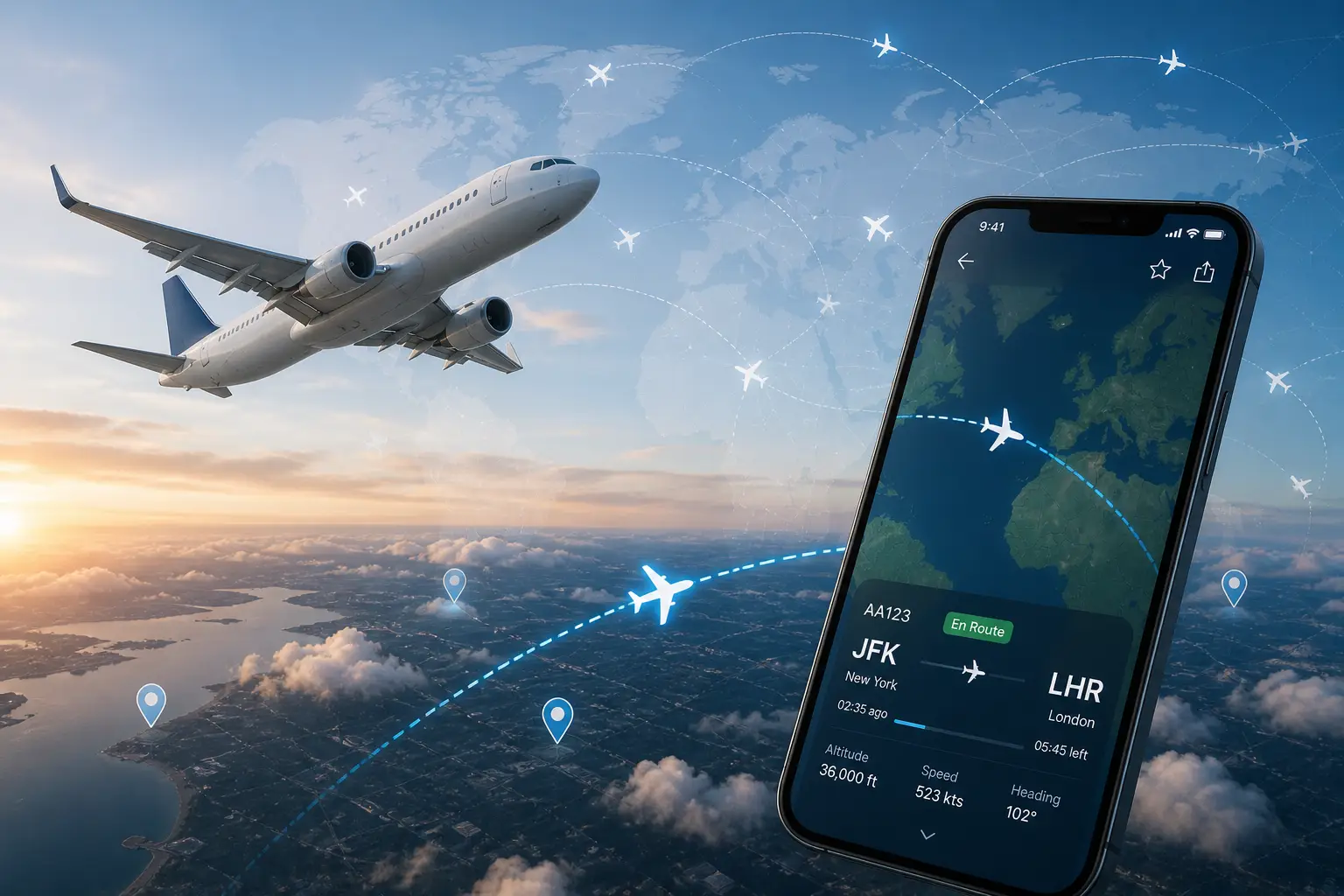

Knowing exactly where a plane is — whether you’re waiting at arrivals or anxious about a connecting flight — used to mean calling the airline and hoping for the best. Today, a flight tracker puts that data directly on your phone, often before the airline bothers to tell you anything.
- What Is a Flight Tracker and How Does It Work?
- Best Flight Tracker Apps and Websites in 2026
- Flightradar24 – Best for Live Maps and Aviation Enthusiasts
- FlightAware – Best for Delay Prediction and Inbound Aircraft Tracking
- Flighty – Best for AI-Powered Early Delay Warnings (iOS)
- FlightStats – Best for Business Travelers and On-Time Performance Data
- AirHelp Flight Tracker – Best for Passenger Rights and Compensation
- Flightview – Best for On-Time Performance History
- ADS-B Flight Tracker – Best Free Option for Aviation Enthusiasts
- Plane Finder – Best for AR Overhead Identification
- Google and Google Flights – Best for Quick Searches and Price Tracking
- Airline Apps – Best for Brand Loyalists
- Planes Live and The Flight Tracker – Best Simple Lightweight Options
- Key Features to Look for in a Flight Tracker App
- Flight Tracker Apps Compared: Feature-by-Feature Breakdown
- How to Choose the Best Flight Tracker App for Your Needs
- How Flight Tracking Technology Works
- Tips for Getting the Most Out of Your Flight Tracker
- Conclusion
- FAQs
- FAQ 1: What is the best free flight tracker app?
- FAQ 2: How accurate are flight tracker apps?
- FAQ 3: Can flight tracker apps predict delays before the airline announces them?
- FAQ 4: Which flight tracker app works on both Android and iOS?
- FAQ 5: Can I use a flight tracker to claim compensation for delays?
- FAQ 6: What is ADS-B, and how does it power flight trackers?
- FAQ 7: Can I track a private or military aircraft with a flight tracker?
- FAQ 8: What is the best flight tracker for airport pickups?
This guide covers every major tracking tool available in 2026, how the technology behind them works, and how to pick the right one for your situation.
What Is a Flight Tracker and How Does It Work?
A flight tracker is a tool — app or website — that pulls live aviation data and displays it in a format anyone can read. Enter a flight number, route, or airline, and you’ll see real-time position, estimated departure and arrival times, altitude, speed, and gate information.
Most trackers rely on ADS-B (Automatic Dependent Surveillance-Broadcast), a system where aircraft continuously broadcast their GPS position on 1090 MHz. Ground stations and receiver networks pick up those signals and feed the data into tracking platforms within seconds.
Some apps also layer in NEXRAD radar for weather overlays, FAA and Eurocontrol data for U.S. and European airspace, and multilateration for aircraft without full ADS-B transmitters. The result: a live map that updates nearly in real time, though a data latency of around five minutes is normal on most free platforms.
One important limitation — military aircraft and some private jets can block their tail numbers through the FAA block list, which is why they sometimes disappear from public trackers entirely. For aviation enthusiasts and service members, Air Force frames offer a meaningful way to display aircraft photos, service awards, and other military keepsakes.
Best Flight Tracker Apps and Websites in 2026
The market is crowded, but a handful of tools genuinely stand out. Each one is built around a different priority — some optimize for visual data, others for delay prediction, and at least one goes as far as filing compensation claims on your behalf.
Flightradar24 – Best for Live Maps and Aviation Enthusiasts
If you want to watch the skies, Flightradar24 is in a category of its own. Its live zoomable map covers a huge portion of the globe and includes commercial flights, helicopters, and private aviation — charter jets and smaller general aviation aircraft that most other apps simply don’t display. Tap any plane on the map and you instantly see its tail number, aircraft type, altitude, speed, full route, and actual photos of that specific aircraft.
The augmented reality mode is genuinely impressive — point your phone at the sky and the app identifies every plane overhead, even through clouds. Historical flight playback goes back 365 days on premium tiers, and weather layers (available on Gold plans) let you see how storm paths interact with live traffic. For aviation enthusiasts, the app even surfaces aeronautical charts and live audio feeds from air traffic control in select regions.
- Free features: Basic tracking, live map, flight status
- Silver Plan: $12.99/year | Gold Plan: $34.99/year — unlocks weather layers, full history, advanced filters
- Platforms: iOS, Android
For aviation enthusiasts, there’s nothing better. For travelers who just want delay alerts, it can feel like overkill.
FlightAware – Best for Delay Prediction and Inbound Aircraft Tracking
FlightAware’s standout feature is its “Where is my plane?” tool, which tracks the inbound aircraft scheduled to become your flight. It recalculates your estimated departure in real time and can flag a delay up to 30 minutes before your airline sends any notification.
The Misery Map — a color-coded regional overview of weather-related delays and cancellations across an entire region — is especially useful during storms or high-traffic travel days. FlightAware powers a lot of Google’s flight search results, so the data is authoritative.
Push notifications cover departures, arrivals, gate changes, and cancellations. The free tier is solid for most travelers. Premium+ plans start at $44.95/month, which is steep — the free version handles 95% of what regular travelers need.
- Platforms: iOS, Android, web browser
Flighty – Best for AI-Powered Early Delay Warnings (iOS)
Flighty is iOS and macOS only, which immediately rules it out for Android users. For those it does reach, it offers some of the most advanced delay prediction available in a consumer app.
It starts tracking your flight 25 hours before departure, monitoring the inbound aircraft through its entire prior journey. Using machine learning trained on FAA and Eurocontrol data, it predicts delays and explains the reason — late aircraft, ground stop, air traffic control hold, or weather. That explanation matters: knowing why something is delayed helps you decide whether to rebook or wait it out.
The Connection Assistant flags tight layovers before you board. Flighty Passport compiles your travel history into annual reports with personal statistics and a world map of your routes. The app also works offline and updates via basic in-flight Wi-Fi.
- Flighty Pro: $59.99/year or $299 lifetime
- New users get temporary Pro access on their first tracked flight — a good way to test the full feature set before committing.
- Platforms: iOS, macOS only
FlightStats – Best for Business Travelers and On-Time Performance Data
FlightStats does less than the apps above — and that’s the point. Its interface is clean and minimal: a timeline view of your flight’s progress, current status, gate information, and a seven-day weather forecast. No maps, no gamification, no noise.
Its real value is historical on-time performance data. Before booking a connecting flight, you can check that specific flight number’s track record — how often it runs late, by how much, and on which routes. For frequent business travelers choosing between two connections, that data is genuinely useful.
Home-screen widgets and an Apple Watch integration mean you can check your gate and status without opening the app. Power users and frequent business flyers can upgrade to a Professional account at $24.99/month, which unlocks full flight history for any aircraft, route, or airport.
- Standard: $2.99/month | Professional: $24.99/month
- Platforms: iOS, Android, web browser
AirHelp Flight Tracker – Best for Passenger Rights and Compensation
AirHelp does something no other tracker on this list attempts: it monitors your flights specifically for disruptions that entitle you to compensation under EC 261 (EU) and UK 261 regulations. When a delay crosses the three-hour threshold, the app notifies you immediately, explains whether the airline is legally liable, and offers to file a claim on your behalf.
Everything — tracking, push notifications, gate alerts, baggage belt notifications — is free with no ads. The app can also scan your flight history going back three years to find missed claims.
If you file through AirHelp, they take a 35% service fee on successful claims only. AirHelp+ ($39.99/year) removes that fee, adds instant payouts up to €100, luggage protection, and airport lounge access when delays exceed one hour. Gmail and Google Calendar sync automatically import your bookings, and the boarding pass scanner adds new flights in seconds.
- Platforms: iOS, Android
Flightview – Best for On-Time Performance History
Flightview tracks flight status changes and sends push notifications for any updates. It also pulls your aircraft’s previous routes over the last two days — a simple but useful way to gauge whether delays are already building before your flight is even called. Weather information at both origin and destination airports rounds out the basics.
It’s been losing users due to app quality issues in recent updates, but its core tracking functions remain reliable.
- Cost: Free; $2.99/month for ad-free
- Platforms: iOS, Android
ADS-B Flight Tracker – Best Free Option for Aviation Enthusiasts
Built on the globe.ADSBexchange.com platform, this app shows unfiltered ADS-B data — including aircraft that commercial apps deliberately exclude, such as military aircraft and some private jets. The interface uses a radar-style display similar to what air traffic controllers see.
It works by tapping into a crowdsourced network of ADS-B receivers — devices that passively pick up position broadcasts from overhead aircraft and relay them to the platform in near real time. There’s no delay alerting or notification system, but for raw, unfiltered flight data, nothing else comes close. Android users can download the app directly. iOS users can access the full experience by bookmarking globe.ADSBexchange.com in their browser and adding it to their home screen — it behaves like a native app.
- Cost: Free
- Platforms: Android; iOS via browser bookmark
Plane Finder – Best for AR Overhead Identification
Plane Finder uses ADS-B signals to pull live aircraft data and pairs it with a genuinely well-executed AR mode. Point the camera upward, and airline logos appear next to planes passing overhead. The MyFlights feature tracks specific flights from departure to touchdown with live updates on delays and gate changes.
Recent updates improved the flight playback interface and added faster AR load times.
- Cost: Free; $3.99/month or $19.99/year for premium (includes 3D mode)
- Platforms: iOS, Android
Google and Google Flights – Best for Quick Searches and Price Tracking
Type any flight number directly into Google Search, and a progress bar appears at the top of the results, showing duration and estimated arrival. It’s the fastest option for a single quick lookup.
Google Flights adds price tracking on top of that. Once you’ve found a route, toggle “Track Prices,” and you’ll receive email alerts whenever the fare changes. Even after booking, you can monitor price drops and explore rebooking options through your airline’s website. If you haven’t locked in a ticket yet, bookmarking a specific search on Google Flights and activating price alerts across all available flights on your selected dates is one of the simplest ways to catch a deal.
- Platforms: Web browser, iOS, Android
Airline Apps – Best for Brand Loyalists
First-party airline apps have improved significantly. The United Airlines app now pushes real-time status updates directly to the iPhone lock screen and uses Apple’s Dynamic Island to display your seat assignment and a boarding countdown without opening the app.
If you fly one airline consistently, its app covers the basics well. For multi-airline itineraries or code-share flights, a third-party tracker handles things more cleanly.
Planes Live and The Flight Tracker – Best Simple Lightweight Options
Both apps follow a simple formula: search for a flight, see its current status — including terminal and gate information — and get notified of changes. Planes Live is particularly well-suited for watching planes online across the globe in real time, with a customizable map that lets you filter by aircraft type or airline. The Flight Tracker organizes everything across five clear tabs — Map, Search, My Flights, Airports, and Airlines — and lets you attach travel documents and notes to saved flights.
Neither competes with FlightAware or Flightradar24 on data depth, but for travelers who just want clean, clutter-free updates, they’re worth considering.
- Planes Live: Free; from $1.99/month | The Flight Tracker: Free; Pro at $1.99
Key Features to Look for in a Flight Tracker App
Not every traveler needs the same things. Here’s what actually matters depending on your use case:
| Feature | Why It Matters |
| Real-time live map | Visualize flight position and route |
| Push notifications | Gate changes, delays, cancellations |
| Inbound aircraft tracking | Predicts delays before the airline announces |
| Historical on-time data | Research reliability before booking |
| ADS-B coverage | Accuracy of position data |
| Compensation monitoring | Know your rights when delays hit |
| Baggage belt alerts | Skip the guesswork at arrivals |
| Offline functionality | Works without strong airport Wi-Fi |
| Apple Watch / lock screen widgets | Status at a glance via Dynamic Island |
| Global coverage | Tracks domestic and international routes |
| Premium features | Advanced weather overlays, full history, AR |
Flight Tracker Apps Compared: Feature-by-Feature Breakdown
| App | Free Version | Delay Prediction | Baggage Belt Alert | Compensation Claims | Android | Paid Starting Price |
| AirHelp | ✅ Full | ✅ | ✅ | ✅ | ✅ | €39.99/yr (AirHelp+) |
| Flightradar24 | ✅ Limited | ❌ | ❌ | ❌ | ✅ | $12.99/yr (Silver) |
| FlightAware | ✅ Limited | ✅ | ❌ | ❌ | ✅ | $44.95/mo (Premium+) |
| Flighty | ✅ Limited | ✅ ML-powered | ✅ | ❌ | ❌ iOS only | $59.99/yr (Pro) |
| FlightStats | ✅ Limited | ✅ | ❌ | ❌ | ✅ | $2.99/mo (Standard) |
| Flightview | ✅ | ❌ | ❌ | ❌ | ✅ | $2.99/mo (ad-free) |
How to Choose the Best Flight Tracker App for Your Needs
The right tool depends almost entirely on what you’re trying to do:
- Airport pickup: Flighty or AirHelp for baggage belt alerts and Just Landed notifications
- Delay-sensitive travel: FlightAware’s inbound tracking or Flighty’s ML predictions
- Business travel: FlightStats for clean data and on-time performance history
- Aviation interest: Flightradar24 for the best visual live map experience
- EU/UK travel: AirHelp if flight disruptions and compensation rights matter to you
- Budget-conscious: FlightAware or AirHelp free tiers, or Google for basic lookups
- Android users: Flighty is off the table — FlightAware or Flightradar24 are the strongest alternatives
Premium subscriptions are worth it if you fly frequently. For occasional travelers, free tiers on FlightAware and Flightradar24 cover most needs without spending a cent.
How Flight Tracking Technology Works
The network behind any flight tracker is more complex than most people realize. It starts with ADS-B receivers — thousands of privately operated ground stations worldwide that pick up signals broadcast by aircraft. Each broadcast contains GPS position, altitude, speed, and aircraft identification.
Apps then aggregate that data, cross-reference it with FAA and Eurocontrol schedules, and display it on a live map. Where ADS-B coverage is thin — over oceans, for example — some platforms use satellite-based ADS-B to fill the gaps, though at higher latency.
Multilateration handles aircraft that don’t broadcast full ADS-B signals. It works by measuring the tiny difference in time it takes a radio signal to reach multiple ground stations at once — the platform then triangulates the aircraft’s position from those time gaps. It’s less precise than direct ADS-B but covers a meaningful portion of airspace that would otherwise show as blank.
Over oceans and remote regions where ground stations don’t exist, some platforms fill the gap using satellite-based ADS-B — orbiting receivers that pick up the same aircraft broadcasts from above. This extends live tracking to transoceanic routes, though with slightly higher latency than land-based coverage.
Weather data comes from NEXRAD radar — a network of high-resolution radar systems originally developed for meteorology that flight trackers overlay onto their maps to show storm paths and turbulence zones relative to live traffic.
Tips for Getting the Most Out of Your Flight Tracker
A few practical habits make a big difference:
- Set up push notifications the night before, not at the airport. By then, delays may already be building.
- Track the inbound aircraft, not just your outbound flight. If the plane arriving before yours is stuck somewhere, your departure is already compromised.
- Use connection buffer data (FlightStats, Flighty) when booking connections under 90 minutes.
- Sync with Google Calendar or TripIt so flights appear automatically without manual entry.
- Check compensation eligibility after any delay over three hours on EU or UK routes — most travelers don’t realize they may be owed money.
- Enable offline mode before boarding so you can check gate changes via basic in-flight Wi-Fi.
- Use Google Flights’ Track Prices toggle if you haven’t booked yet — fare drops on already-searched routes trigger email alerts automatically.
Conclusion
The best flight tracker isn’t the one with the most features — it’s the one that matches how you actually travel. Flightradar24 wins on visual data and aviation depth. FlightAware leads on predictive intelligence.
Flighty is the gold standard for iOS users who want early warnings. FlightStats is the cleanest tool for business travelers who need fast, reliable logistics. Casual travelers making one or two trips a year will find Google, FlightAware’s free tier, or Flightradar24’s basic plan more than enough. And AirHelp is the only option that actively works to get you money back when things go wrong.
For casual travelers, the free tiers of FlightAware or Flightradar24 are more than enough. For frequent flyers, a paid subscription to Flighty or AirHelp+ pays for itself after a single disrupted trip. Knowledge is power when you’re sitting at a gate — these tools make sure you always have it.
FAQs
FAQ 1: What is the best free flight tracker app?
FlightAware and AirHelp offer the strongest free tiers. AirHelp is fully free with no ads and includes compensation monitoring and baggage belt alerts — features other apps charge for. FlightAware’s free version covers inbound aircraft tracking, the Misery Map, and push notifications. Flightradar24’s free tier provides basic real-time tracking and the live map, but limits advanced features to paid plans.
FAQ 2: How accurate are flight tracker apps?
Most apps pull data directly from ADS-B signals and FAA or Eurocontrol feeds, making them highly accurate for transmitter-equipped commercial aircraft. The main caveat is data latency — the small lag between what’s happening in the air and what appears on your screen. On most free platforms, this gap is around five minutes, meaning the position you see is where the aircraft was, not precisely where it is right now.
Paid tiers on some platforms significantly reduce this lag. Aircraft without full ADS-B transmitters may appear with less precision, since those rely on multilateration estimates rather than direct GPS broadcasts.
FAQ 3: Can flight tracker apps predict delays before the airline announces them?
Yes — and this is where the best apps genuinely earn their keep. Flighty uses machine learning trained on FAA and Eurocontrol data to predict delays up to 25 hours before departure, including the reason behind them. FlightAware’s inbound aircraft tracking can flag delays 30 minutes before your airline confirms anything. Neither system is perfect, but both regularly outperform official airline notifications.
FAQ 4: Which flight tracker app works on both Android and iOS?
Flightradar24, FlightAware, FlightStats, AirHelp, Flightview, and Planes Live all support both Android and iOS. Flighty is the notable exception — it’s available only on iOS and macOS, with no Android version currently.
FAQ 5: Can I use a flight tracker to claim compensation for delays?
AirHelp Flight Tracker is designed specifically for this. It monitors your flights against the three-hour compensation threshold defined by EC 261 (EU) and UK 261 regulations, automatically checks eligibility when a delay qualifies, and offers to handle the claim process on a no-win, no-fee basis. It can also scan your past three years of flights for missed claims. Other trackers notify you of delays but don’t assist with the legal or compensation process.
FAQ 6: What is ADS-B, and how does it power flight trackers?
ADS-B stands for Automatic Dependent Surveillance-Broadcast. Aircraft equipped with ADS-B transponders broadcast their GPS position, altitude, speed, and identification on 1090 MHz at regular intervals. Ground-based receiver networks pick up these signals and relay them to flight tracking platforms. The ADS-B Exchange platform (globe.ADSBexchange.com) is notable for publishing this data unfiltered, including aircraft that mainstream trackers exclude by agreement with operators.
FAQ 7: Can I track a private or military aircraft with a flight tracker?
It depends on the platform. Most commercial flight trackers honor FAA block list requests, which means private jets and some charter flights are deliberately excluded from public data. Military aircraft typically don’t broadcast ADS-B signals on civilian frequencies at all. The ADS-B Flight Tracker (via ADSBexchange) shows unfiltered data and displays many aircraft that Flightradar24 and FlightAware hide — though military exclusions still apply in many cases.
FAQ 8: What is the best flight tracker for airport pickups?
For airport pickups, the most useful features are arrival time accuracy, Just Landed alerts, and baggage belt notifications. AirHelp and Flighty both send baggage carousel alerts on arrival — a small detail that saves real time. Flighty’s account friends feature lets you track a family member’s flight as if it were your own, including day-of delay alerts.
FlightAware’s push notifications for arrivals and gate changes work well for pickups even on the free tier. Flightview and Planes Live are also worth considering for pickups — both send push notifications on arrival status changes and provide gate information without requiring a paid subscription.